- ×
 Envira Gallery Pro Elementor Addon 1 × $4.99
 - ×
 EventOn Event Tickets 1 × $4.99
 - × Real Estate Manager Pro - WordPress Plugin 1 × $4.99
- ×
 Malica - Social Media Marketing Agency Elementor Template Kit 1 × $4.99
 - × Elegant Themes Nexus 1 × $4.99
- × FooGallery PRO Expert 1 × $4.99
- × Aliexpress Dropshipping and Fulfillment 1 × $4.99
- × MyThemeShop WP Quiz Pro 1 × $4.99
- × ChildHope | Child Adoption Service and Charity Nonprofit WordPress Theme 1 × $4.99
- × WordPress Download Manager Pro 1 × $4.99
- × WooCommerce Photo Reviews - Review Reminders 1 × $4.99
- × Product Loops for WooCommerce 1 × $4.99
- × KartPul - Multipurpose WooCommerce Theme 1 × $4.99
- × Titan Preloaders and Page Transitions Plugin 1 × $4.99
- × WPSPowerbox - Addon for WPShapere WordPress Admin Theme 1 × $4.99
- × Konstruktic - Construction & Building WordPress Theme 1 × $4.99
- × Advanced Custom Fields for WooCommerce 1 × $4.99
- × WordPress Events Calendar Registration and Tickets 1 × $4.99
- × BuddyPress User Profile Tabs Creator Pro 1 × $4.99
- × Social Auto Poster 1 × $4.99
- × WP Review Pro - MyThemeShop 1 × $4.99
- × Advanced Woo Search Pro 1 × $4.99
- × BuddyPress User Badges 1 × $4.99
- × GeoDirectory Custom Google Maps 1 × $4.99
- × JetThemeCore For Elementor 1 × $4.99
- × Download Manager Pro Download Limit 1 × $4.99
- × Openpos WooCommerce Point Of Sale(POS) 1 × $4.99
- × myCred - ToDo List Addon 1 × $4.99
- × AutomatorWP - wpForo 1 × $4.99
 Real Estate Manager Pro - WordPress Plugin
  Malica - Social Media Marketing Agency Elementor Template Kit
  Elegant Themes Nexus
  FooGallery PRO Expert
  Aliexpress Dropshipping and Fulfillment
  MyThemeShop WP Quiz Pro
  ChildHope | Child Adoption Service and Charity Nonprofit WordPress Theme
  WooCommerce Photo Reviews - Review Reminders
  Product Loops for WooCommerce
  KartPul - Multipurpose WooCommerce Theme
  Titan Preloaders and Page Transitions Plugin
  WPSPowerbox - Addon for WPShapere WordPress Admin Theme
  Konstruktic - Construction & Building WordPress Theme
  WordPress Events Calendar Registration and Tickets
  Social Auto Poster
  WP Review Pro - MyThemeShop
  Advanced Woo Search Pro
  BuddyPress User Badges
  JetThemeCore For Elementor
  Openpos WooCommerce Point Of Sale(POS)
  myCred - ToDo List Addon
  AutomatorWP - wpForo
 98%
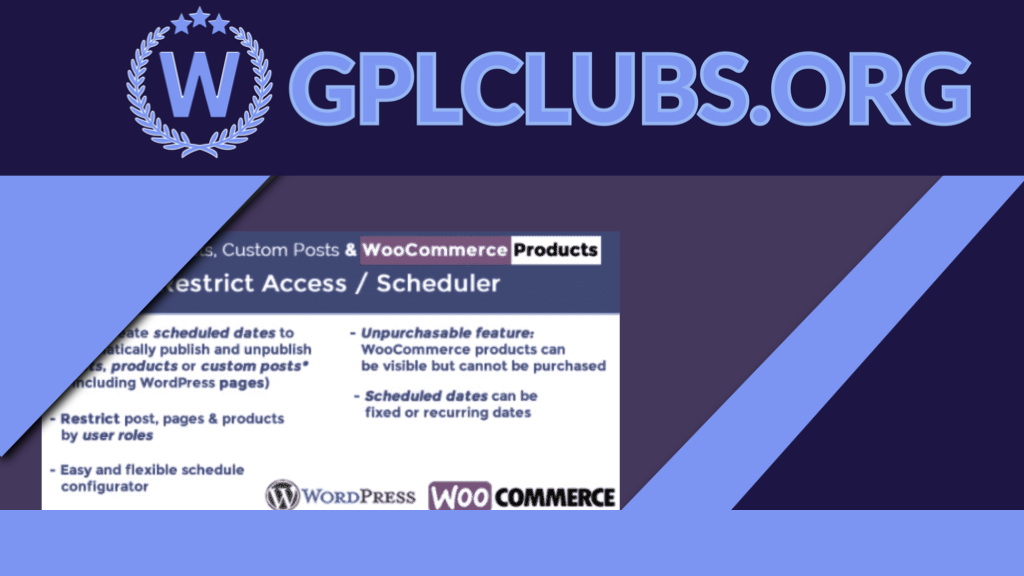
Products Scheduler / Restrict Access
Original price was: $49.99.$4.99Current price is: $4.99.
The plugin WordPress Posts & WooCommerce Products Limit Access / Scheduler (WPPS) is a powerful tool by which the website admin can schedule or restrict access to posts, custom posts (such as wordpress sites, bbpress posts or any other custom 3rd party posts) and visibility of the product through date rules and user roles.
Version: 5.5
Last Update: June 6, 2024
Product PageDescription
The plugin WordPress Posts & WooCommerce Products Limit Access / Scheduler (WPPS) is a powerful tool by which the website admin can schedule or restrict access to posts, custom posts (such as wordpress sites, bbpress posts or any other custom 3rd party posts) and visibility of the product through “date rules” and user roles. You can also configure WooCommerce items as “Unpurchasable” (visible but cannot be added to cart).
How It’s Working
When enabled and triggered, it’s very simple for the site administrator to find a new “Scheduler” voice menu on the main menu to access the Scheduling Rules configurator. The shop admin can set scheduling rules for automatically publishing/unpublishing posts, custom posts (such as wordpress pages, bbpress posts or any other custom 3rd party posts) and items through this menu. He may also clearly prevent user roles from accessing accounts. You can also choose to redirect to a page if you limit posts/pages by user position.
NOTE: You only need to pick at least one role in the user role selection section to limit access to unlogged users.
SET Product as Unpurchasable
Function not compatible with Price Calculator for Calculation
The special Unpurchasable option can be used by shop managers for WooCommerce products. To allow this and set the visibility of https to Visible, the selected product will be visible, but due to the removal of the “add to cart” button, customers (or those belonging to the roles selected in the roles restriction choice area) may not be added to the cart.
The shop admin may choose whether the product has to be set as Purchasable or Unpublished after and before the Unpurchasable duration.
Two distinct messages on product and shop pages can also be optionally displayed during the Unpurchasable era.
Note: Make sure that the theme you are using is using the woocommerce-after-single-product, woocommerce-loop-add-to-cart-link and woocommerce-single-product-summary behavior in the shop and single product page correctly (as do the woocommerce referee templates) otherwise the plugin will not hook properly to the theme to remove the add to cart button. Every well-designed theme uses these acts correctly.
Note: The unpurchasable function won’t work if the WooCommerce Availability Scheduler plugin is enabled.
RULESS OF SCHEDULING/RESTRICT ACCESS
The site admin may assign multiple scheduling rules to a collection of posts/products (directly selecting them or a set of categories). The following alternative applies to each scheduling rule:
Name of Rule/id
Form of Object (WordPress post or WooCommerce product)
Selection of item (s)
Option of category(es)
Assignment strategy (it is possible to assign the rule to the selected items/categories or to all but the selected items)
Categories “Children” (if a category was selected, that rule can be assigned also to its children)
Dates for Scheduling (for every scheduled time period is also possible restrict visibility by user roles)
DATES SCHEDULING
The Site Administrator will establish different scheduling dates for each scheduling rule (setting day(s), month(s), period, …) for each of which different httpses (published or unpublished) can be allocated. Two examples of what can be achieved are available here:
EXAMPLE 1 ANSWER 1 (WOOCOMMERCE PRODUCTS)
The shop administrator would like to make a product(s) released only from 09:00 to 18:00 and unpublished in the remaining hours and on 25 December, every day of the year.
The rules for scheduling will be designed as follows:
Construct and assign a name/id to a new rule
“Select type of item “WooCommerce product
Item(s) and/or category collection (ies)
Establish a new rule for a date where:
Published https:
Roles of the User: Leave unselected
Form of start date: Day of the Week
Days of the week: Pick all dates of the week:
Months: Pick all
Hour: 9 o’clock
Minute: 0 Up to 0
Invert https item(s) during the unmatched period of time: yes
Hour of the end: 17
The Last Minute: 59
Establish a new rule for a date where:
https: Unpublished, unpublished
Roles of the User: Leave unselected
Form of starting date: Day of the month
Days of the month: Pick 25 Days of the month
Months: Pick ‘December’
Hour: 9 o’clock
Minute: 0 Up to 0
Related products
98%

Original price was: $49.99.$4.99Current price is: $4.99.
EVENT TICKETS Are thou looking according to promote tickets for thine activities along eventON? resultant Tickets driven by Woocommerce is the last response because thy coupon sales need. Avoid paying percentage of thine stamp income or try match tickets addon!
98%

Original price was: $49.99.$4.99Current price is: $4.99.
Daily Download Limit Add-on for WordPress Download Manager Pro will help you to setup download limit for different user roles. And you can control the limit by a specific time period like 1 day, 7 days or any number of days you want and limit will reset for each user separately based on their role. The clock for each user will start from their first download.
98%

Original price was: $49.99.$4.99Current price is: $4.99.
A virtual Event World Awaits Your Audience. Power up your eventON virtual experience with real-time virtual event info updates to building a powerful paid virtual event access system.
98%

Original price was: $49.99.$4.99Current price is: $4.99.
Level up your maps with custom map styles. Now you can match the styling and color scheme of your Maps with the rest of your site! Our Custom Map Styles addon will give your website the brand recognition it deserves.
98%

Original price was: $49.99.$4.99Current price is: $4.99.
There is a unique plugin called Meta Box AIO that has all the extensions. To keep your plugin list simple and organized, you can install just one plugin and have everything.
98%

Original price was: $49.99.$4.99Current price is: $4.99.
Best WordPress Plugin For Document Management and Selling Digital Products. WordPress Download Manager Pro packed with all features you will ever need to manage your files and documents, protecting documents with password, document access control based on members roles and capabilities, detailed access log, selling digital products, licensing and many more features.
98%

Original price was: $49.99.$4.99Current price is: $4.99.
Create and manage BuddyPress user profile tabs. The BuddyPress User Profile Tabs Creator Pro plugin lets you create, remove and modify the BuddyPress user profile tabs with a simple and intuitive interface.
98%

Original price was: $49.99.$4.99Current price is: $4.99.
WPPU is the most powerful and customizable WordPress preloader plugin. WordPress Preloader Unlimited is the ideal plugin for your WordPress website‚s preloader. This plugin will add fantastic Preloaders to your site.
98%
Original price was: $49.99.$4.99Current price is: $4.99.
Do you want a simple way to play elementor while showing photos in a lightbox? With Envira Gallery‚s Elementor Addon, you can add individual galleries on your website using Elementor.
98%

Original price was: $49.99.$4.99Current price is: $4.99.
ToolKit for Elementor is a user-driven framework that focuses on Site Performance, Workflow Productivity, and reducing plugin & theme dependence.
98%

Original price was: $49.99.$4.99Current price is: $4.99.
For each user, display a separate piece of content. To offer your visitors individualized material, use dynamic content.
98%

Original price was: $49.99.$4.99Current price is: $4.99.
For WooCommerce, Advanced Custom Fields is an all-in-one plugin to manage Woocommerce‚s custom areas. No expertise in coding is required. It encourages conditional reasoning, confirms fields and nearly 30 forms of areas as well.