- ×
 EventOn Event Tickets 1 × $4.99
 - ×
 Real Estate Manager Pro - WordPress Plugin 1 × $4.99
 - × Social Auto Poster 1 × $4.99
- × Envira Gallery Pro Elementor Addon 1 × $4.99
- × Meta Box AIO 1 × $4.99
- × Download Manager Pro Form Lock Add-on 1 × $4.99
- × Neve Pro - Business Plan 1 × $4.99
- × Download Manager Pro Block Hotlink 1 × $4.99
- × BuddyPress User Badges 1 × $4.99
- × WordPress Preloader Unlimited 1 × $4.99
- × GeoDirectory List Manager 1 × $4.99
- × Product Loops for WooCommerce 1 × $4.99
- × ToolKit For Elementor Plugin 1 × $4.99
- × WooCommerce Photo Reviews - Review Reminders 1 × $4.99
- × WordPress Download Manager Pro 1 × $4.99
- × JetThemeCore For Elementor 1 × $4.99
- × If-So Dynamic Content Pro 1 × $4.99
- × Titan Preloaders and Page Transitions Plugin 1 × $4.99
 Social Auto Poster
  Envira Gallery Pro Elementor Addon
  Meta Box AIO
  Neve Pro - Business Plan
  WordPress Preloader Unlimited
  GeoDirectory List Manager
  Product Loops for WooCommerce
  ToolKit For Elementor Plugin
  WordPress Download Manager Pro
  JetThemeCore For Elementor
  If-So Dynamic Content Pro
  Titan Preloaders and Page Transitions Plugin
 98%
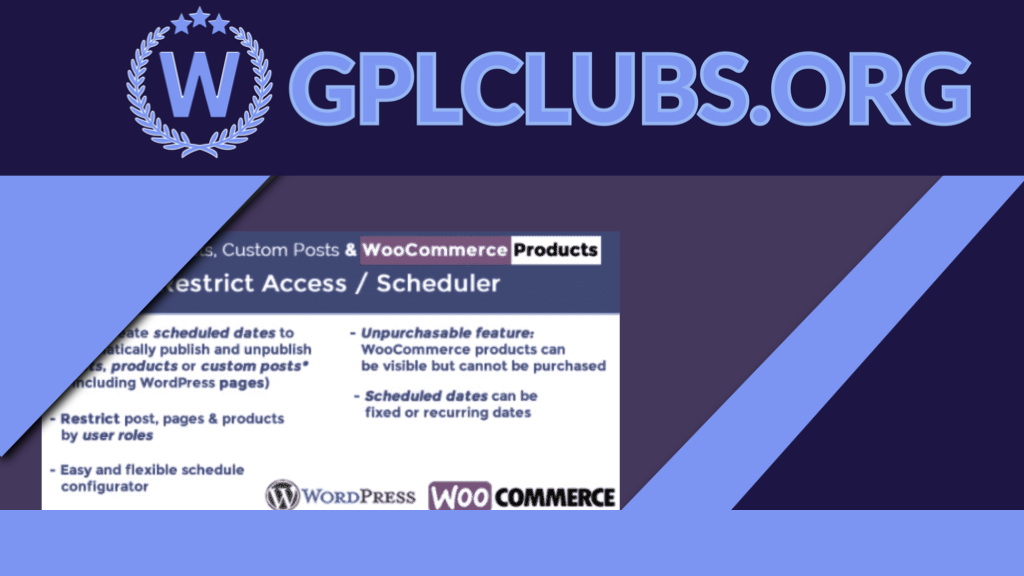
Products Scheduler / Restrict Access
Original price was: $49.99.$4.99Current price is: $4.99.
The plugin WordPress Posts & WooCommerce Products Limit Access / Scheduler (WPPS) is a powerful tool by which the website admin can schedule or restrict access to posts, custom posts (such as wordpress sites, bbpress posts or any other custom 3rd party posts) and visibility of the product through date rules and user roles.
Version: 5.5
Last Update: June 6, 2024
Product PageDescription
The plugin WordPress Posts & WooCommerce Products Limit Access / Scheduler (WPPS) is a powerful tool by which the website admin can schedule or restrict access to posts, custom posts (such as wordpress sites, bbpress posts or any other custom 3rd party posts) and visibility of the product through “date rules” and user roles. You can also configure WooCommerce items as “Unpurchasable” (visible but cannot be added to cart).
How It’s Working
When enabled and triggered, it’s very simple for the site administrator to find a new “Scheduler” voice menu on the main menu to access the Scheduling Rules configurator. The shop admin can set scheduling rules for automatically publishing/unpublishing posts, custom posts (such as wordpress pages, bbpress posts or any other custom 3rd party posts) and items through this menu. He may also clearly prevent user roles from accessing accounts. You can also choose to redirect to a page if you limit posts/pages by user position.
NOTE: You only need to pick at least one role in the user role selection section to limit access to unlogged users.
SET Product as Unpurchasable
Function not compatible with Price Calculator for Calculation
The special Unpurchasable option can be used by shop managers for WooCommerce products. To allow this and set the visibility of https to Visible, the selected product will be visible, but due to the removal of the “add to cart” button, customers (or those belonging to the roles selected in the roles restriction choice area) may not be added to the cart.
The shop admin may choose whether the product has to be set as Purchasable or Unpublished after and before the Unpurchasable duration.
Two distinct messages on product and shop pages can also be optionally displayed during the Unpurchasable era.
Note: Make sure that the theme you are using is using the woocommerce-after-single-product, woocommerce-loop-add-to-cart-link and woocommerce-single-product-summary behavior in the shop and single product page correctly (as do the woocommerce referee templates) otherwise the plugin will not hook properly to the theme to remove the add to cart button. Every well-designed theme uses these acts correctly.
Note: The unpurchasable function won’t work if the WooCommerce Availability Scheduler plugin is enabled.
RULESS OF SCHEDULING/RESTRICT ACCESS
The site admin may assign multiple scheduling rules to a collection of posts/products (directly selecting them or a set of categories). The following alternative applies to each scheduling rule:
Name of Rule/id
Form of Object (WordPress post or WooCommerce product)
Selection of item (s)
Option of category(es)
Assignment strategy (it is possible to assign the rule to the selected items/categories or to all but the selected items)
Categories “Children” (if a category was selected, that rule can be assigned also to its children)
Dates for Scheduling (for every scheduled time period is also possible restrict visibility by user roles)
DATES SCHEDULING
The Site Administrator will establish different scheduling dates for each scheduling rule (setting day(s), month(s), period, …) for each of which different httpses (published or unpublished) can be allocated. Two examples of what can be achieved are available here:
EXAMPLE 1 ANSWER 1 (WOOCOMMERCE PRODUCTS)
The shop administrator would like to make a product(s) released only from 09:00 to 18:00 and unpublished in the remaining hours and on 25 December, every day of the year.
The rules for scheduling will be designed as follows:
Construct and assign a name/id to a new rule
“Select type of item “WooCommerce product
Item(s) and/or category collection (ies)
Establish a new rule for a date where:
Published https:
Roles of the User: Leave unselected
Form of start date: Day of the Week
Days of the week: Pick all dates of the week:
Months: Pick all
Hour: 9 o’clock
Minute: 0 Up to 0
Invert https item(s) during the unmatched period of time: yes
Hour of the end: 17
The Last Minute: 59
Establish a new rule for a date where:
https: Unpublished, unpublished
Roles of the User: Leave unselected
Form of starting date: Day of the month
Days of the month: Pick 25 Days of the month
Months: Pick ‘December’
Hour: 9 o’clock
Minute: 0 Up to 0
Related products
98%

Original price was: $49.99.$4.99Current price is: $4.99.
WooMail - WooCommerce Email Customizer Allows You To Customize An Email Template In Order To Professionally Resonate With Your Brand‚ Under 7 Minutes (Oh, no coding language is required).
98%

Original price was: $49.99.$4.99Current price is: $4.99.
The BuddyPress User Badges plugin adds badge functionality to BuddyPress based communities. This plugin allows you to create any number of custom badges and assign these badges to users.
98%

Original price was: $49.99.$4.99Current price is: $4.99.
Form Lock Plugin for WordPress Download Manager helps you to lock your download with a form so that users need to fill and submit that form to get access to download. As sometimes, you may need to collect data from visitors before they get the download. This add-on will link WordPress Download Manager Downloads with the forms built using popular WordPress Form Builder Plugins.
98%

Original price was: $49.99.$4.99Current price is: $4.99.
You are looking for a solution to synchronize data between your online website and your local store; you are looking for a quick solution to manage your cafe/restaurant. OpenPOS is a must have Plugin to do that. OpenPOS is a complete point of sale system(POS) plugin for WooCommerce and WordPress. OpenPOS can be used for multi purposes like as Retailers Stores / Restaurant / Cafe / Spa salon. OpenPOS includes everything you need for a Point Of Sale system.
98%

Original price was: $49.99.$4.99Current price is: $4.99.
WooCommerce Photo Reviews is an ultimate WooCommerce review plugin that enables customers to post reviews with product photos and submit emails to customers with WooCommerce coupons to send review reminder emails.
98%

Original price was: $49.99.$4.99Current price is: $4.99.
WPDM Block Hotlink add-on will help you to block hot links to download URLs from external sites. Any such request will be redirected to item details page or any other page speciified by you. The external sites can only place the link of your item details page, not the direct download url.
98%

Original price was: $49.99.$4.99Current price is: $4.99.
JetTricks is a wonderful add-on because it adds visible net page imitation effects that exclude somebody‚s coding abilities, the use of expanded features, and greater Elementor stay page builder widgets. Because of the content, including sticky elements, the plugin approves the use of parallax effects, increasing the unfolded column effect, adding hotspot creators, then creating the ‚ÄúView More‚Äù icon.
98%

Original price was: $49.99.$4.99Current price is: $4.99.
A virtual Event World Awaits Your Audience. Power up your eventON virtual experience with real-time virtual event info updates to building a powerful paid virtual event access system.
98%

Original price was: $49.99.$4.99Current price is: $4.99.
WordPress Download Manager Directory Add-on will help WordPress Download Manager users to show all categories and downloads on a single page with different styles.WordPress Download Manager Directory Add-on will help WordPress Download Manager users to show all categories and downloads on a single page with different styles.
98%

Original price was: $49.99.$4.99Current price is: $4.99.
Create and manage BuddyPress user profile tabs. The BuddyPress User Profile Tabs Creator Pro plugin lets you create, remove and modify the BuddyPress user profile tabs with a simple and intuitive interface.
98%

Original price was: $49.99.$4.99Current price is: $4.99.
Level up your maps with custom map styles. Now you can match the styling and color scheme of your Maps with the rest of your site! Our Custom Map Styles addon will give your website the brand recognition it deserves.
98%

Original price was: $49.99.$4.99Current price is: $4.99.
A responsive property listing WordPress plugin for full-featured real estate websites and portals is called Real Estate Manager. It adds unique integration features like Property Types, Property Video, Gallery Slider, Advanced AJAX Search, Google Maps with property location markers, Properties Carousel, Grid listing, Front End Property Submission, Search Widget, Mortgage Calculator, Front End Profile Editing, easy to use settings, and much more. It has nice & clean designs for property templates.